
How to Request Invoices?
Requesting an invoice from LegitGrails is a straightforward process tailored to your chosen payment method:
If you need an invoice for a LegitGrails order, you can usually find it directly in your account or in the payment confirmation email you received after checkout.
For Existing Orders
If you're a registered user, you can access your invoice by going to:
Settings > Receipts & Invoices
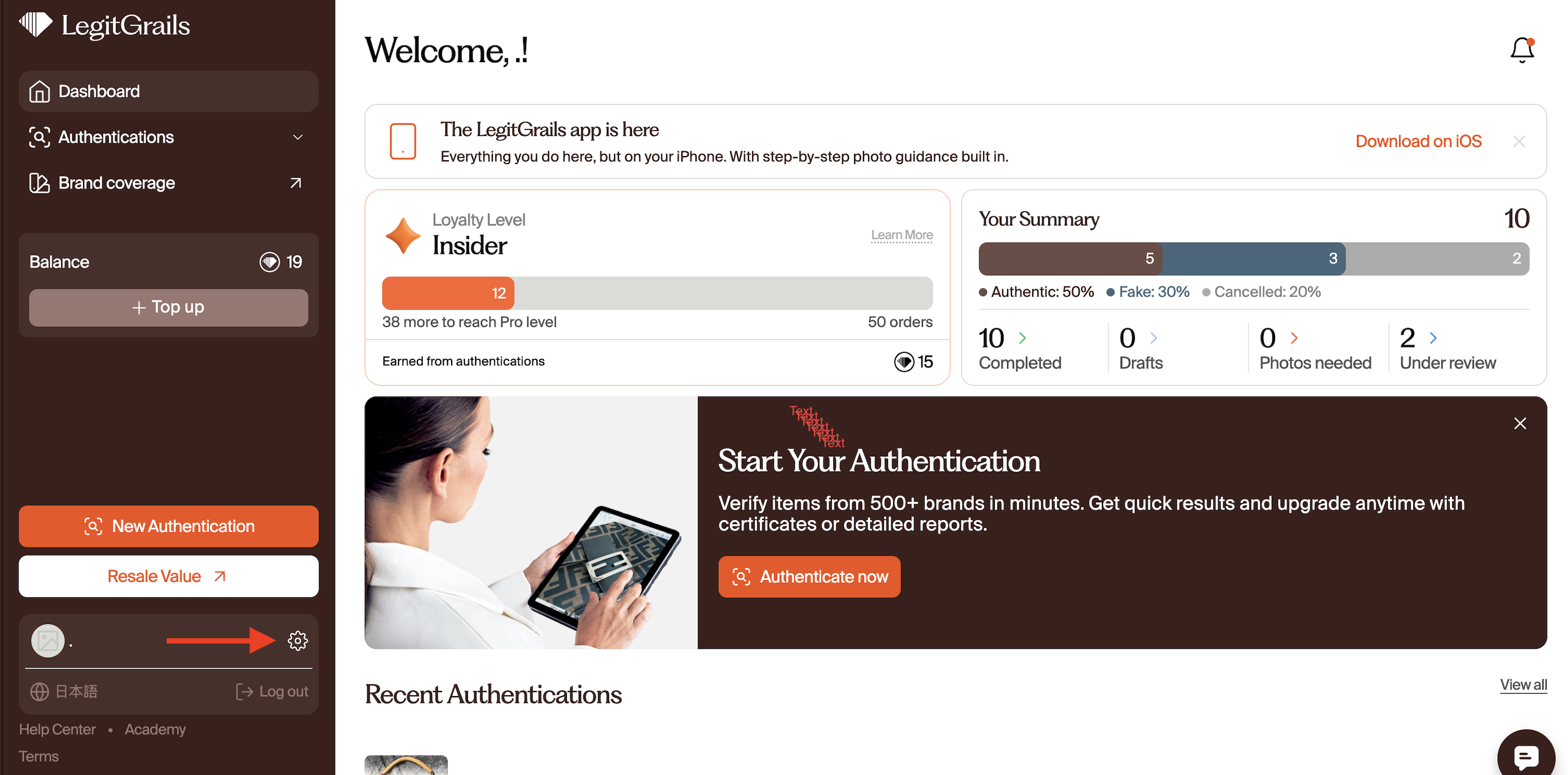
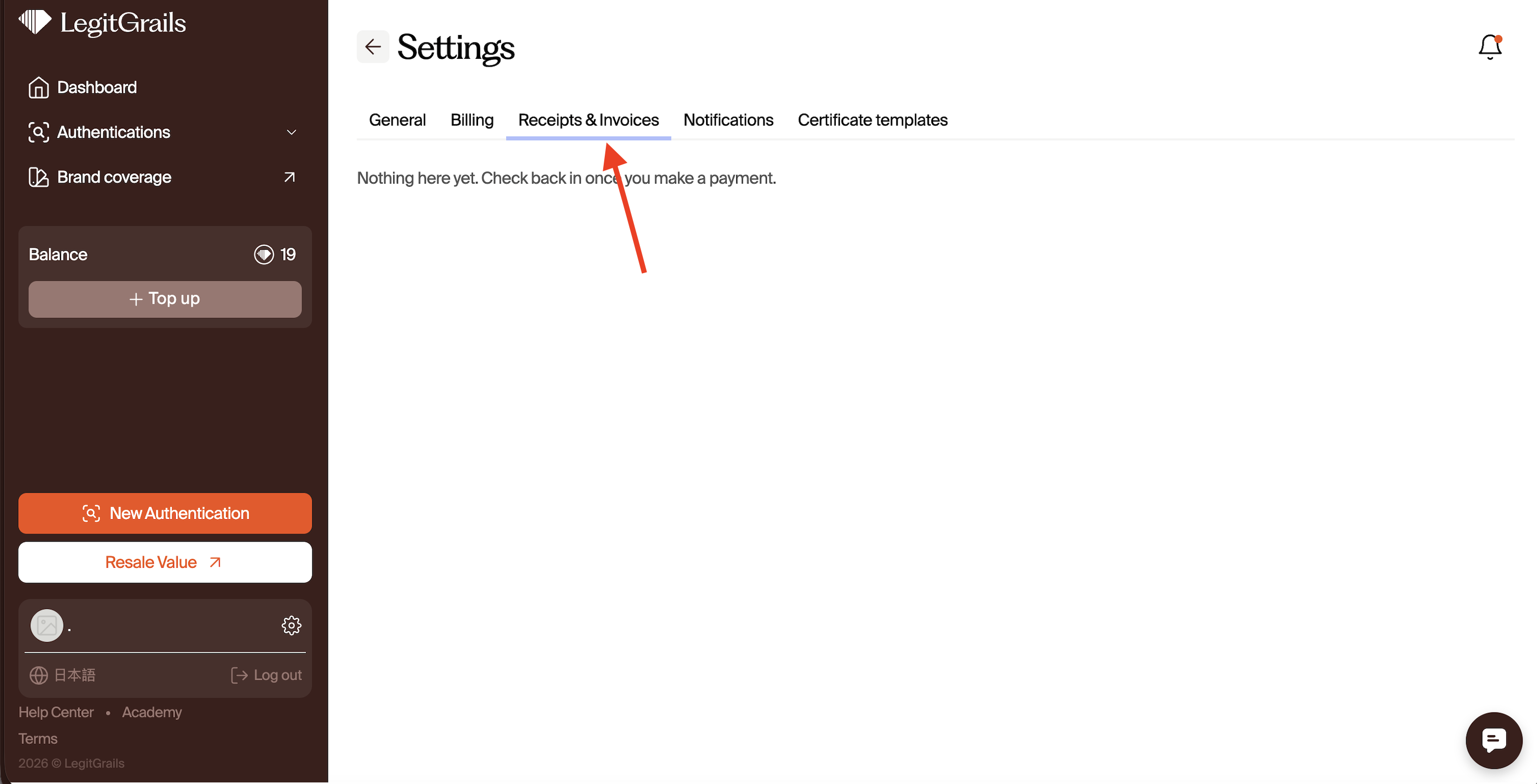
You can also check the payment confirmation email sent to the email address used during checkout.
Need a Manually Issued Invoice?
If the automatically generated invoice doesn't meet your requirements and you need a manually issued invoice, please contact our Support team.
We'll need the following information:
Order number
Company name
Company address
VAT number, if applicable
Once we have the required information, please allow 3–5 business days for your invoice to be processed.
Need an Invoice Before Placing an Order?
If you need an invoice for a future purchase as part of your company's payment process, we can provide a pre-issued invoice.
Please contact our Support team and provide:
Product or service you would like to purchase
Business name
Business address
VAT number, if applicable
Pre-issued invoices may take up to 5 business days to process.
Unable to Find the Invoice or Need Further Assistance?
Should you encounter difficulties locating the invoice or if a PayPal receipt isn't sufficient, please don't hesitate to reach out to our customer support team:
Utilise the chat feature available on this page in the bottom-right corner.
Contact us via email at support@legitgrails.com.
In rare instances where manual invoice creation is necessary, please provide the following information, and allow up to 5 business days for processing:
Business name
Company address
Order number
VAT number (if applicable)
At LegitGrails, we're committed to ensuring your satisfaction and will assist you promptly with any invoice-related inquiries.